10. Delete a Redshift Cluster
Delete a Redshift Cluster
Make sure to delete your cluster each time you're finished working to avoid large, unexpected costs. You can always launch a new cluster, so don't leave it running overnight or throughout the week if you don't need to.
Steps to delete a cluster are:
- On the Clusters page of your Amazon Redshift console, click on the check-box next to your cluster name. Then click on the Actions drop-down button on top → select Delete.
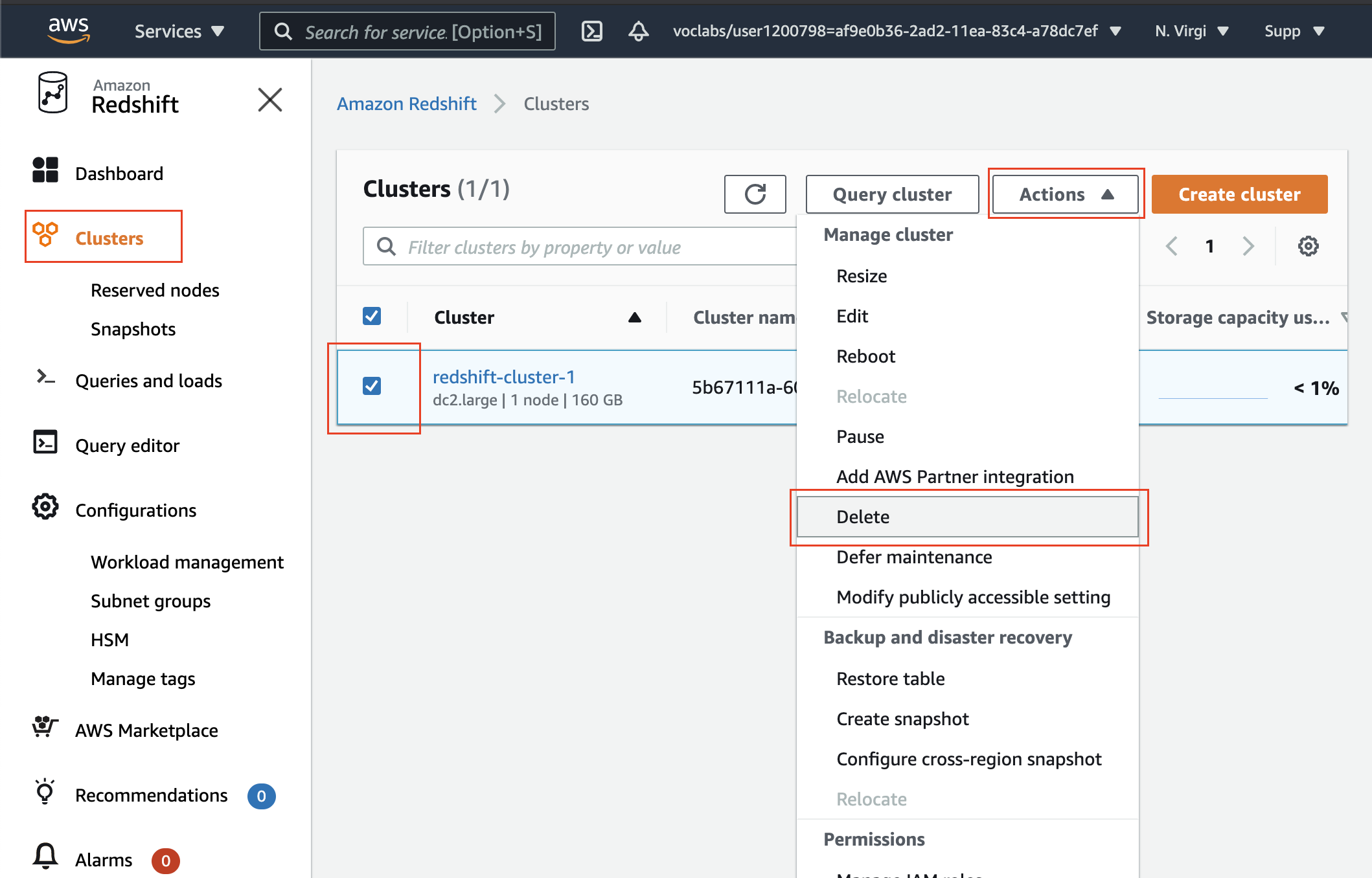
Delete a cluster
- You can choose to not Create final snapshot, and click on the Delete cluster button.
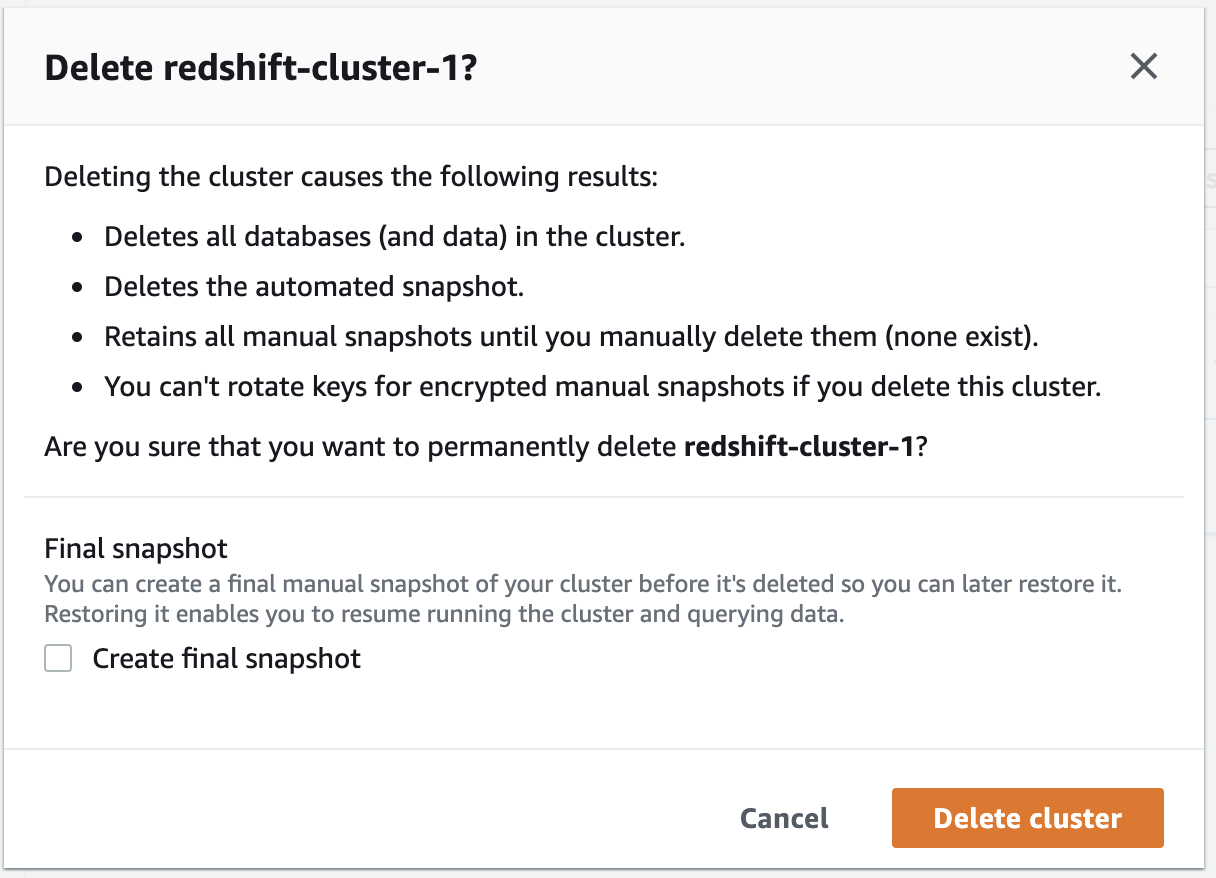
Prompt before deleting the cluster
- Your cluster will change it's status to deleting, and then disappear from your Cluster list once it's finished deleting. You'll no longer be charged for this cluster.